
TakeCutter
Pull 30 clips out of a 2-hour recording in 10 minutes.
Apple Silicon · macOS 15 or later
What it does
Many clips per recording
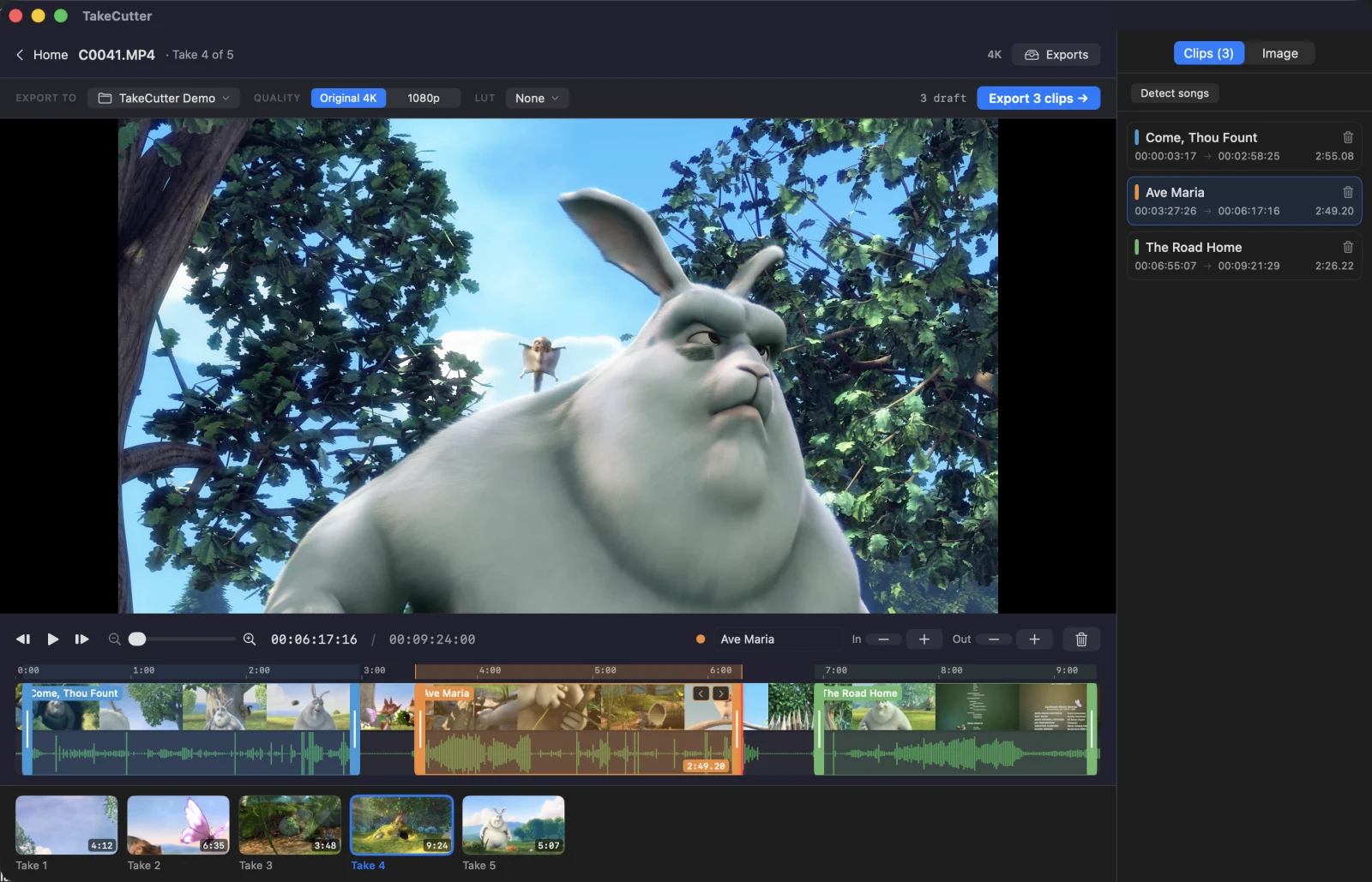
Drag across the timeline to mark a clip and name it. One recording holds as many clips as you need, each with its own in and out point and its own file. Export queues them all at once.
Automatic song detection
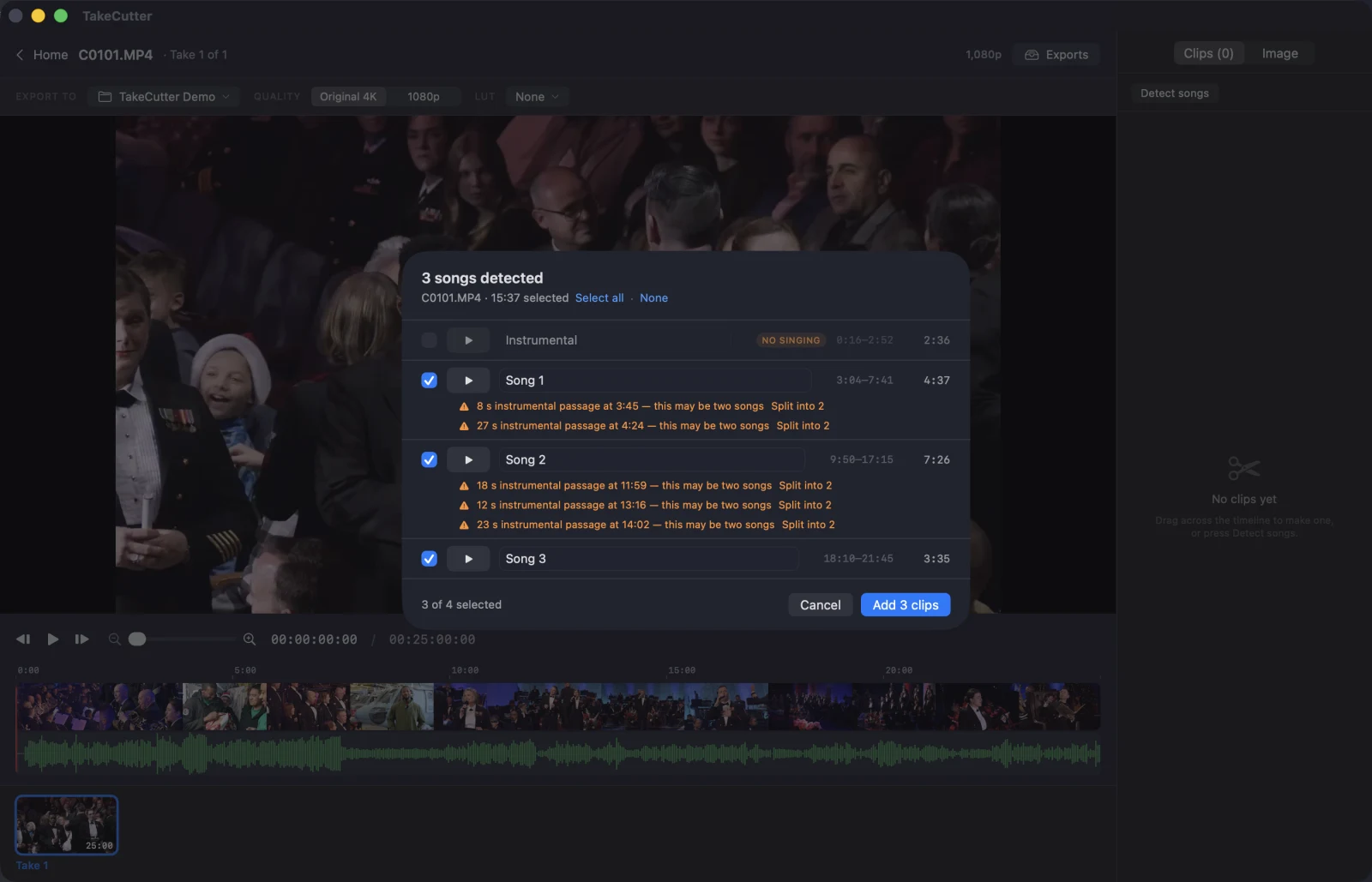
Press Detect songs. TakeCutter listens through the recording and proposes a clip for every stretch of singing. You tick the ones you want and press Add.
An hour and a half of footage takes about a minute, on your Mac, with no network.
Cropping and colour adjustment
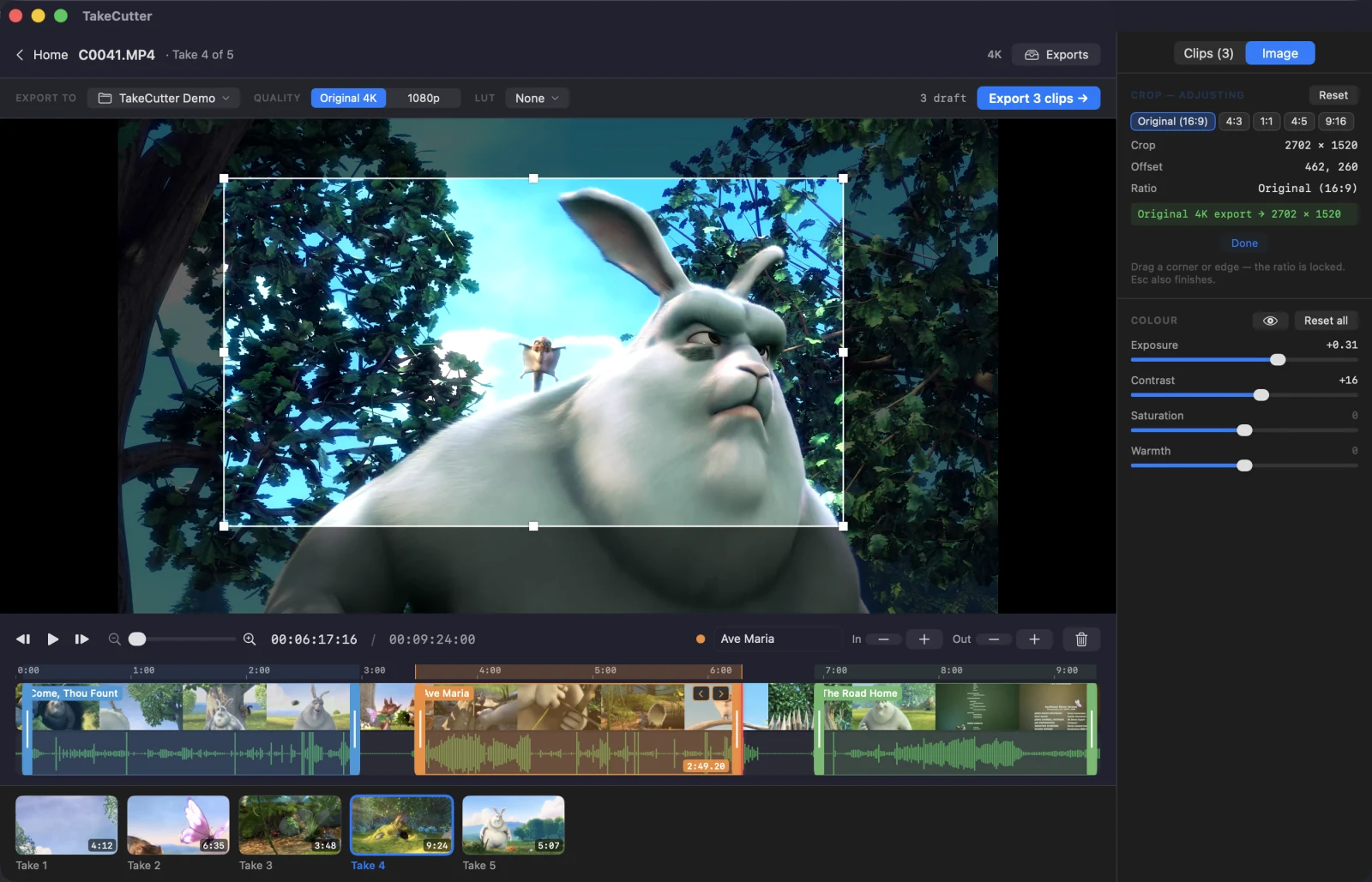
Crop to any part of the frame, locked to the recording’s own shape or to 1:1, 4:5 or 9:16. A 4K recording has pixels to spare, so a cropped 1080p export is still a full 1080p file.
Adjust exposure, contrast, saturation and warmth. Crop and colour are both baked into the export exactly as you previewed them.
Log to Rec.709 LUTs
Nine camera conversions are built in, and you can import your own .cube
files. The preview and the export use the same LUT, matched to within a code value.
No import, no transcode
The player runs on the camera’s own 4K file, so a recording is scrubbable as soon as you click it. The waveform and filmstrip load in the background.
Export at nine times realtime
8 min 12 s of 4K trimmed and encoded to 1080p in 54 seconds on an M1 Max. Each clip is split into parallel frame-exact chunks and encoded with VideoToolbox. Exports run in the background while you review the next recording.
Frame-exact cuts
In and out points are stored as frame numbers, not seconds, so a cut lands where you set it at any frame rate. Selecting a clip stops playback on its last frame.
No projects, no library
Point it at a card or a folder, cut, export, quit. It writes the files you asked for and nothing else. No project file, no database, no catalogue.